Autonome OS: our fork of Cloudflare OS — and why merging our work was a no-brainer
Cloudflare OS is an incredible open-source workspace created by Cloudflare. Autonome OS is our fork of Cloudflare OS — and merging our work into it was a complete no-brainer, because our earlier versions of Autonome were already built on Cloudflare using the exact same methodology (see our 2020–2026 timeline and How I built Autonome).
Why merging with Cloudflare OS was a no-brainer
Long before Cloudflare OS was released, we had spent years building five generations of Autonome on Cloudflare (Alister-autonome/portfolio_project). Through trial and error on real customer systems, we arrived at four core rules:
- Run on Cloudflare’s own platform so businesses pay a few dollars a month for hosting instead of per-person seat fees or heavy servers.
- Never hand passwords to the AI — keep sign-ins locked behind separate safety doors.
- Keep every business in its own separate room so two companies’ data can never mix.
- Test on real figures first and wait for a person’s OK before anything is sent or changed.
When Cloudflare released Cloudflare OS, we looked under the bonnet and saw they had built their workspace on the exact same Cloudflare building blocks and the exact same safety methodology. Rather than maintaining two parallel systems doing the same thing on the same platform, forking Cloudflare OS and merging our years of business connections and weekly workflow tools into it was a no-brainer.
Why the base Cloudflare OS is already so good
Before we even add a single line of our own, the base version of Cloudflare OS gives a business four things that usually cost a fortune in separate software subscriptions:
1. A calm workspace & assistant
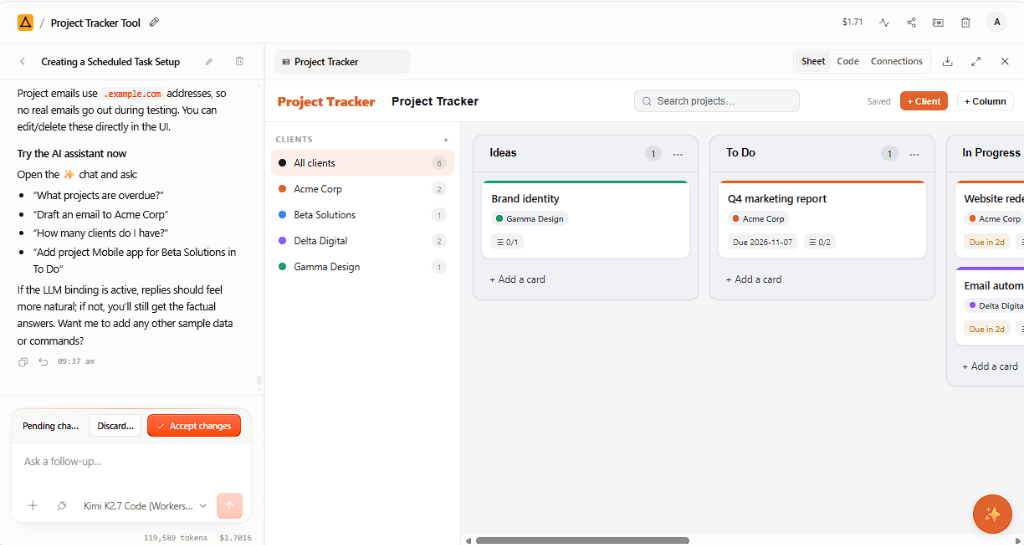
Instead of ten different AI tabs, your team gets one clean browser workspace where they can chat with an assistant, organise projects, and see every action clearly.
2. Mini-apps built on the spot
Need a quick calculator, a custom form, or a table to review records? Cloudflare OS lets your assistant put together small interactive tools right inside your workspace.
3. Built-in safety doors (Gatekeepers)
In Cloudflare OS, the AI never holds your passwords. Every connected account sits behind a safety door that records what was read and asks a person to approve before changing anything.
4. Google Workspace & real devices included
Out of the box, Cloudflare OS connects to Gmail, Google Calendar, Drive, Docs, Sheets and BigQuery — and can pair with staff Macs, Windows PCs, iPhones and Android phones when a job needs a local file or site photo.
What we merged in for our fork (Autonome OS) — and why good deployment matters
A great open-source platform still needs to be set up safely, connected to the rest of your office tools, and shaped around how your staff actually work. In our fork, Autonome OS, we merged the pieces from our earlier Cloudflare builds:
- Weekly jobs written in plain sentences: we brought over our workflow engine so you can write a Monday job down once (“Check MYOB for overdue invoices and draft follow-ups”), test it on your real figures with nothing sent, and run it on a schedule.
- Microsoft 365 & accounting connections: alongside Cloudflare OS’s Google support, we merged in our Microsoft 365 safety door (Outlook, Teams, OneDrive, SharePoint) plus connections for MYOB, Xero and HubSpot.
- Shared vs. private inbox protection: our Team vs. Just me rule ensures a shared company connection can use shared mailboxes and folders while never touching anyone’s private inbox.
- Your own company name & hands-on rollout: we set up your company branding in
/admin, deploy the whole system inside your own Cloudflare account with zero per-seat fees, and guide your rollout hands-on.